BetRupees Withdrawal Password Forgotten? What to Check Before Resetting It
A forgotten BetRupees withdrawal password can stop a cash-out request even when the account login is working normally. Before resetting anything, confirm which password the withdrawal screen is asking for. Entering the login password in a transaction-password field may cause repeated errors or temporarily restrict further attempts.
Check your registered account, active SIM, pending withdrawal status and available recovery option first. Avoid guessing several passwords in a row, and never share an OTP or wallet PIN with someone offering to reset it for you.
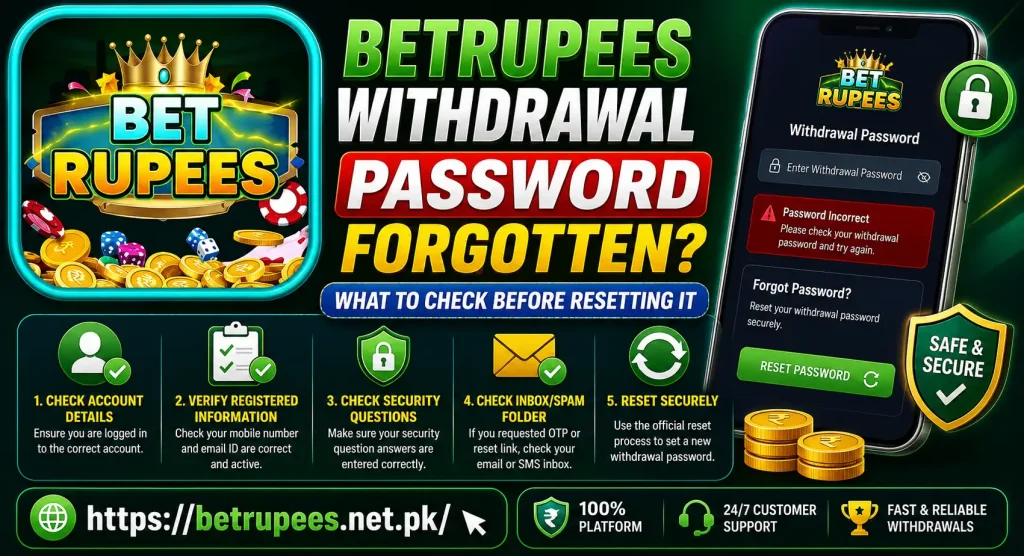
Login Password vs Withdrawal Password
The login and withdrawal passwords may serve different purposes. Understanding the difference can prevent an unnecessary account-password reset.
| Credential | Common purpose |
| Login password | Opens the BetRupees account |
| Withdrawal or transaction password | Confirms a withdrawal-related request |
| OTP | Verifies a temporary account action |
| JazzCash or Easypaisa PIN | Confirms activity inside the payment wallet |
The labels may differ depending on the BetRupees version. Read the field name shown on your screen before entering anything.
Your JazzCash or Easypaisa PIN should not be used as a BetRupees withdrawal password. It should also never be shared through chat, email or a support message.
Confirm That You Are Using the Correct BetRupees Account
A saved login session can sometimes open a different account on a shared device. Before resetting the transaction password, check the username, registered phone number or account ID visible in the profile.
This matters when:
- More than one person uses the phone
- You previously created another account
- The app restored an older session
- You recently changed devices
- A browser and the BetRupees app show different accounts
A password created for one account will not work on another. Do not register a new account merely because the withdrawal password has been forgotten. A duplicate account can make account verification and wallet records more difficult to manage.
Readers unsure about their profile information can be directed to the existing How to Set Up BetRupees Account article.
Check Whether the Withdrawal Is Already Pending
Open the withdrawal or transaction history before starting a password reset. A request may already have been submitted even if the previous screen did not appear to finish properly.
Look for a status such as:
- Pending
- Processing
- Submitted
- Completed
- Rejected
- Cancelled
- Failed
Do not submit another withdrawal while the first one remains unresolved. Resetting a password will not necessarily cancel or speed up an existing request.
If the problem involves the transaction rather than the password, internally link to the website’s Common Payment Problems on BetRupees article.
Read the Error Message Carefully
Different messages require different actions. “Incorrect password” is not the same as “account under review” or “withdrawal unavailable.”
Incorrect Transaction Password
This usually means the value entered does not match the withdrawal password connected to the account. Stop after a careful attempt rather than trying several possible passwords.
Password Format Error
The new password may not meet the rules displayed on the reset screen. Follow the visible requirements for length, numbers, letters or special characters. Do not assume the format from an older version.
Too Many Attempts
If the screen indicates that further attempts are restricted, stop trying. Wait for the option displayed by the platform or use the available account-support channel. There is no reliable universal waiting time, so avoid following an unverified time estimate.
Verification Required
The account may need an OTP or another confirmation step before the withdrawal password can be changed. Confirm that the registered phone number is active and accessible.
Withdrawal Restricted
A password reset may not fix a restriction related to account verification, wallet information, bonus conditions or a pending review. Check the exact message before changing your credentials.
Check Access to the Registered Phone Number
A withdrawal-password reset may require verification through the phone number attached to the BetRupees account.
Before selecting the reset option, confirm that:
- The registered SIM is active
- The phone has a working mobile signal
- Regular SMS messages can arrive
- The number entered in the profile is correct
- Spam or blocked-message folders have been checked
- The correct SIM is active on a dual-SIM phone
If the verification message does not arrive, avoid pressing “Resend” repeatedly. The existing BetRupees OTP Not Received post is a suitable internal link for detailed OTP checks.
If you no longer have access to the registered number, do not use another person’s number to bypass verification. Use the support option shown in the account and ask what recovery information is required.
Look for a Withdrawal-Password Reset Option
Open the current BetRupees account settings, security section or withdrawal screen. Look for wording such as:
- Forgot withdrawal password
- Reset transaction password
- Change withdrawal password
- Payment password
- Security password
- Wallet password
Use the option actually displayed in your account. The location and wording may change between app versions.
Do not follow reset links received from unknown WhatsApp numbers, social-media accounts or pop-up messages. Start from the account screen you normally use.
How to Reset the BetRupees Withdrawal Password Safely
The exact steps depend on the recovery options shown in the current account. A careful reset generally follows this order:
- Sign in to the correct BetRupees account.
- Open the profile, security or withdrawal section.
- Select the available transaction-password recovery option.
- Confirm the registered account information.
- Complete any OTP or verification step shown.
- Create a new password that meets the displayed rules.
- Enter it again carefully for confirmation.
- Save the change and return to the withdrawal screen.
- Test the new password once.
If no reset option appears, stop rather than trying random passwords. Use the support channel displayed on the website or inside the account.
Create a Strong and Memorable New Password
The new withdrawal password should not be easy for another person to guess. Avoid using:
- Your phone number
- Date of birth
- Repeated digits
- Your username
- A simple sequence
- Your JazzCash or Easypaisa PIN
- The same password used on several websites
Follow the password rules displayed on the reset screen. If letters and numbers are accepted, use a combination that is difficult to guess but possible for you to remember.
Store the password in a reputable password manager or another private location. Do not save it as an openly labelled note or send it to yourself through an unprotected chat.
What If the New Password Is Still Rejected?
First, check that the reset was completed rather than abandoned on the final confirmation screen. Then close and reopen the withdrawal section.
Also check:
- Whether you are still logged into the same account
- Whether the app is displaying an older cached screen
- Whether the new password contains an accidental space
- Whether uppercase and lowercase characters matter
- Whether the reset confirmation was received
- Whether an existing withdrawal restriction remains
- Whether the app and browser are showing different sessions
Do not immediately reset the password a second time. Repeated changes can make it harder to identify which credential is currently active.
Withdrawal Password Reset vs Login Password Recovery
If you cannot open your account at all, the problem concerns the login password rather than the withdrawal password. Complete account recovery first.
The existing How to Recover BetRupees Password Without Email article can be linked for that situation.
Once login access has been restored, check whether the transaction password is still remembered. Resetting the login password does not necessarily change a separate withdrawal password.
What to Do If There Is No Reset Button
Some account versions may not provide a self-service transaction-password reset option. In that case, find the support or help section currently displayed on the website or inside the BetRupees account.
Prepare the following information:
- BetRupees username or account ID
- Registered phone number with some digits hidden
- Screenshot of the password error
- Approximate time of the failed attempt
- Withdrawal reference, if a request already exists
- Device and app-version information
- Description of whether login access still works
Support may need to verify account ownership before changing a financial credential. Only submit information through the channel shown in the account.
Never Share These Details During Recovery
A forgotten password creates an opportunity for scammers to approach users with fake recovery offers. Never share:
- OTP codes
- Login password
- New withdrawal password
- JazzCash PIN
- Easypaisa PIN
- Full bank credentials
- Screen-sharing access
- Remote-control permission
A person who knows your OTP and password may be able to take control of the account. No legitimate troubleshooting step requires posting these details publicly.
Be cautious if someone asks for a fee to unlock the withdrawal, promises an instant reset or directs you to install an unknown application.
Avoid These Common Reset Mistakes
Users can make the problem harder by acting too quickly. Avoid:
- Guessing the password repeatedly
- Confusing the login and withdrawal passwords
- Entering a payment-wallet PIN
- Creating another BetRupees account
- Resetting credentials from an unknown link
- Sharing screenshots containing an OTP
- Submitting duplicate withdrawal requests
- Deleting the app before saving transaction details
- Assuming every withdrawal error is caused by the password
Check the exact error first, then take the smallest necessary action.
Frequently Asked Questions
Final Thoughts BetRupees Withdrawal Password Forgotten
When a BetRupees withdrawal password is forgotten, first confirm that the screen is asking for a transaction password rather than the normal login password. Check the correct account, registered phone number, pending requests and exact error message before starting a reset. Use only the recovery option displayed inside your account. Create a new, unique password and test it once. If no reset option is available or the new password remains rejected, save the error details and contact the support channel shown by BetRupees.
Responsible gaming notice: BetRupees and other real-money gaming platforms are intended for adults aged 18 or above. Never deposit more money to solve a withdrawal-password problem, and do not chase losses with funds needed for essential expenses.